Ad by early code
Launch Your Tech Career
Master practical creative skills and build an industry-ready portfolio at Early Code Institute.
Pixels to Portfolios: How to Start Your Graphic Design Career
Ojonye Joseph Andrew - Published July 15, 2026
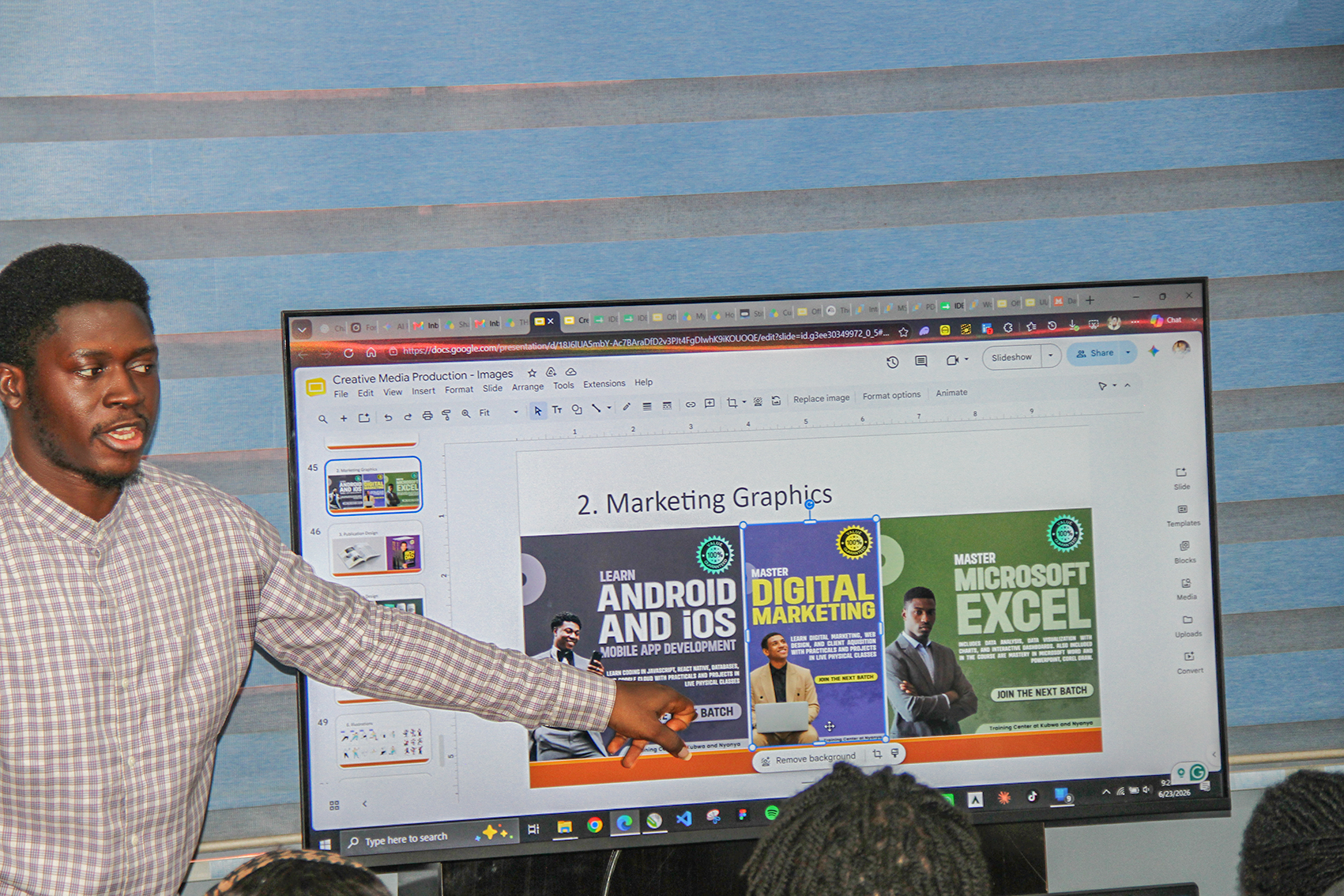
The journey from someone who simply appreciates good designs to someone who is a professional graphic designer can feel incredibly intimidating. When you look at high branding, gorgeous magazine layouts, or sleek digital campaigns, you will begin to wonder: How do I bridge the gap between where I am now (a complete novice) and the stage where I can create work of that caliber (a professional graphic designer)?
The truth is that every veteran designer out there started exactly where you are sitting right now. Just looking at a blank digital canvas, overwhelmed by the sheer number of tools, rules, and pathways available. Building a career from scratch is not about being a naturally born genius; it is about consistent and strategic practice. This guide is designed to cut through the noise and provide an honest, actionable roadmap to help prospective students of graphic design to navigate the beautiful, complex world of modern graphic design.
The Mindset Shift: Practical Knowledge Over Software
When most beginners decide to learn graphic design, their instinct is to download advanced software like CorelDRAW, Adobe Photoshop, or Illustrator and start clicking around. This is a massive trap. Knowing how to use design software does not automatically make you a designer, just as owning an expensive pan does not make you a great chef. Software is only a tool; practical knowledge of design and creativity is what truly matters.
Before you spend hundreds of hours mastering complex applications and shortcuts, you must train your eyes to see the world through the lens of foundational design principles. Without these fundamentals, your work may always feel slightly incomplete, no matter how many trendy effects you add.
Foundational Design Principles
- Contrast: This involves making important things stand out so people instantly know what to look at first. For example, using a bigger title or brighter color for key information.
- Typography: This involves choosing and arranging fonts in a way that matches the feeling or message you want to communicate.
- Composition & Grids: This involves organizing text and images neatly so everything looks balanced, clean, and easy to understand.
- Color Theory: This involves understanding how different colors work together and how they can affect people's feelings and emotions.
Get Hands-on Technical Skills at Early Code Institute

Nyanya Learning Center
Services: Trainings, Mentorship, SIWES Placement, and Internship
Setting Up your Design Toolkit: Essential Software & Hardware
After understanding the basic principles, the next step is choosing your tools. There are many graphics and ui/ux design applications out there, and it can be confusing, but you do not need to learn all of them. All you need to do is to just focus on a few important tools and master them very well because they are commonly used by professionals.
Hardware: A good computer with a clear and accurate screen is your most important tool with the following specifications:
- Processor: Intel Core i5 and above
- RAM: At least 8GB. 16GB is better for smoother work
- Storage: SSD with at least 256GB, while 512GB is recommended
Software: your focus should be divided into three primary categories:
| Software Category | Industry Standard | Best Used For |
|---|---|---|
| Vector-Based Design | Adobe Illustrator / CorelDraw | Logos, brand identities, icons, and scalable assets that never lose quality when resized. |
| Raster-Based Editing | Adobe Photoshop | Photo manipulation, complex digital compositing, and texture-heavy digital art. |
| Layout & Editorial | Adobe InDesign | Multi-page documents, luxury print lookbooks, magazines, and digital layout systems. |
Rather than trying to learn all three simultaneously, pick one and master its interface over a few weeks before introducing the next. For example, mastering vector-based design gives you an immediate understanding of shape language, making the transition to photo editing or layout design far more intuitive. If you wish to enroll in hands-on practical classes, explore the Early Code Courses Page.
Creating Experience Through Concept Projects
Many beginners face the same problem. You need a portfolio to get clients or jobs, but you need work experience to build a portfolio. The solution is to create your own projects, called concept projects.
A concept project is when you choose a real business and redesign its logo, branding, or visual style as if you were hired. You can also create your own imaginary business.
For example, if you like premium designs, you can create a luxury hotel brand or a skincare brand.
This helps you practice your skills and build a strong portfolio even without any real clients.
When working on a concept project, take it seriously and handle it the same way you would handle a real and high-paying client project. Take note of the following in concept project building:
- Define the Problem: Why does this brand need a redesign? Is their current look outdated?
- Establish Constraints: Give yourself strict guidelines regarding the colour palette, target audience, and specific deliverables.
- Document Your Process: Don't just show the final polished image. Save your early sketches, your mood boards, and your rejected concepts. Creative directors care far more about how you think and solve problems than just the final aesthetic result.
Curating Your First Portfolio: Quality Over Quantity
Your portfolio is your most important tool as a designer. Certificates and degrees matter, but what matters more is the quality of the work you can create.
One common mistake beginners make is adding every design they have ever made into their portfolio.
It's better to have 3 strong and well-planned projects than 15 average designs. A weak design in your portfolio can affect how people see your overall skill level.
Also, do not just show a design as a simple image. Present it more realistically. For example, show how a logo looks on business cards, banners, packaging, or screens using good mockups. This helps people see how your designs would work in real life and shows that you understand practical design application. You can learn more about practical project structuring on the About Early Code Institute page.
According to the World Economic Forum, analytical thinking, creativity, and technological literacy rank among the most critical skillsets for the modern evolving global workforce.- World Economic Forum
Finding Your Niche VS. Being a Generalist
As you start learning and improving your skills, you will face an important question: “Should I learn many things or focus on one area”?
When you are just starting, it's better to be a generalist. Try different types of design work, branding, UI/UX design, magazine layouts, social media graphics, and other creative projects. This will help you gain experience and discover what you enjoy doing most.
As your skills improve, focusing on a specific area becomes more valuable. Most clients and companies usually look for people with expertise in a particular skill rather than someone who does everything.
For example, you could become known for branding, social media design, UI/UX, illustration, or editorial design. Having a specialty can help you stand out, attract better opportunities, and earn more. Discover student opportunities and specialized tracks on the Certified Professional Scholarship page.
Navigating the Professional Landscape: Landing Your First Role
Once your portfolio is ready, the next step is deciding where you want to work. Your choice should match your lifestyle and career goals.
The graphic design industry mainly has three career paths, and each offers different opportunities for growth and experience. These are
- The Agency path: This has to do with working in a creative or digital marketing agency. This gives you the chance to work with different clients and projects. It is a great place for beginners to learn quickly, improve their skills, understand how professional teams work, and build valuable connections.
- The In-House path: This means working as an in-house designer. That is, becoming the main designer for one company, school, or brand. This allows you to focus deeply on one brand and help build its identity over time. It also usually provides more stable work hours and a more predictable work environment.
- The Freelance path: This implies working as a freelancer. That is running your own design business. It gives you more freedom and control over your time, but you will also handle many responsibilities, such as finding clients, managing projects, promoting your work, and handling business tasks.
Regardless of the path you choose, always remember that technical skill is only half of the equation.The designers who build long-term, sustainable careers need to communicate clearly, meet their deadlines consistently, accept constructive feedback with grace, and remain permanent students of their craft. Treat every pixel with intent, protect your creative curiosity, and build your portfolio one deliberate step at a time.
Author's Bio

Ojonye Joseph Andrew
Graphics DesignerHi, I am Ojonye Joseph Andrew, a graphic designer dedicated to making graphic design education practical and accessible. Through clear instruction and real-world projects, I leverage my expertise in Adobe Illustrator, Adobe Photoshop, and CorelDRAW to help aspiring designers develop the creative and technical skills they need to thrive in the design industry.